
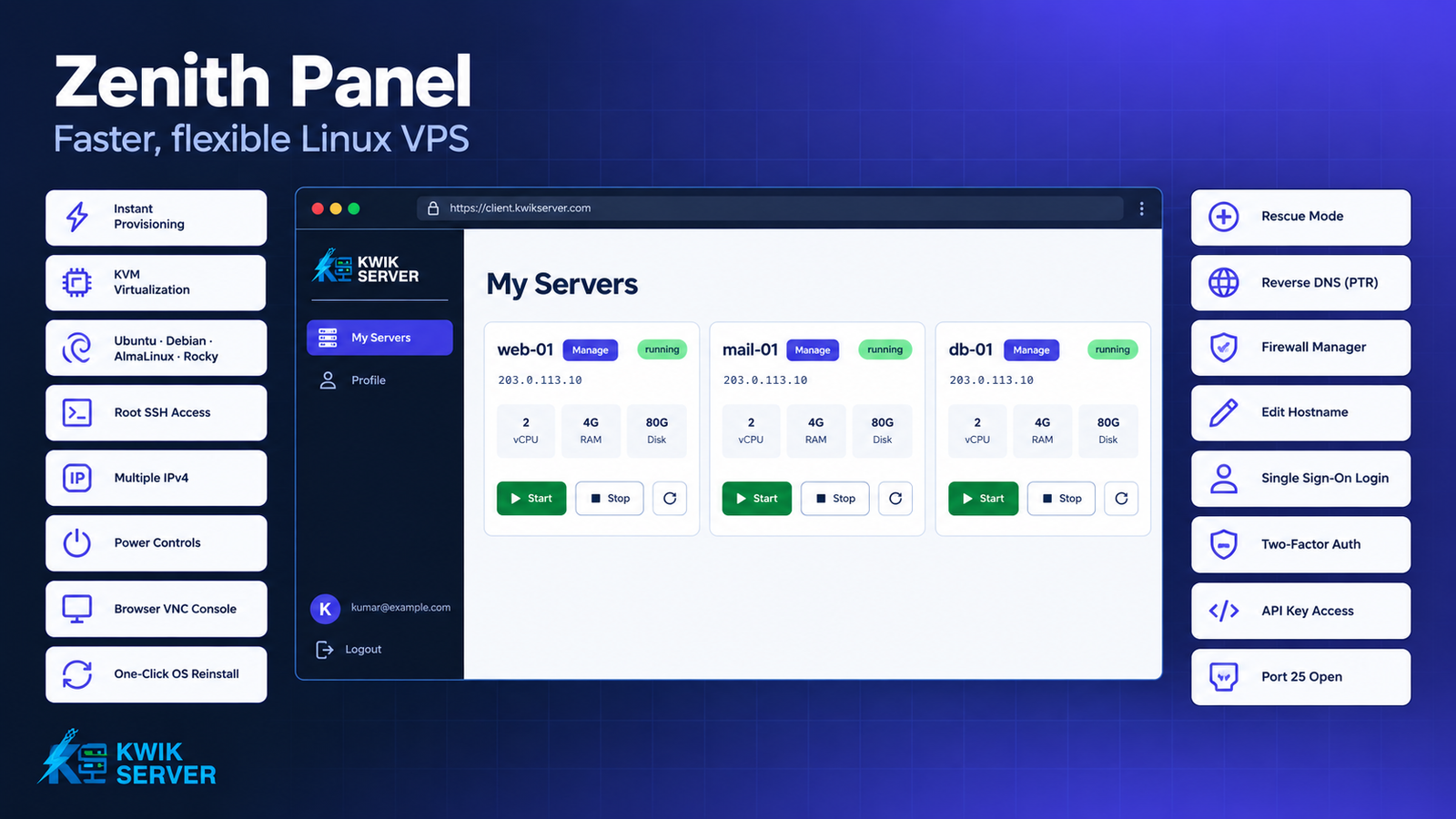
Quick answer: Zenith Panel is the control panel KwikServer built to run its Linux VPS service. When you order, it creates your server automatically as a KVM virtual machine on Proxmox VE, using Ubuntu, Debian, AlmaLinux or Rocky Linux templates that our team builds and tests. Most servers are ready for SSH within minutes of payment. After that you run the server yourself from the panel: start, stop and restart it, open a console in your browser, reinstall the OS, boot into rescue mode, set reverse DNS, and manage firewall rules. None of it needs a support ticket.
Zenith Panel features at a glance
| Feature | What you can do |
|---|---|
| Automatic provisioning | Your VPS is built as soon as the order is paid, at any hour |
| KVM virtualization | Your own kernel, with CPU, RAM and disk set by your plan |
| Operating systems | Ubuntu 22.04 and 24.04, Debian 12 and 13, AlmaLinux 8, 9 and 10, Rocky Linux 9 and 10 |
| Root SSH access | Log in as root with your password on first boot |
| Multiple IPv4 addresses | Additional IPs are set up on their own network interfaces |
| Power controls | Start, stop and restart from the panel or from your billing area |
| Browser VNC console | Reach the server screen even when SSH or networking is broken |
| OS reinstall | Reinstall the same OS or switch to another, with a new root password |
| Rescue mode | Boot a recovery system with your disk attached to fix a broken server |
| Reverse DNS (rDNS) | Set the PTR record for each IP address |
| Firewall | Add, edit, disable and delete inbound and outbound rules |
| Hostname | Rename your server from the dashboard |
| Single sign-on | Click “Manage VPS” in your client area and you’re logged in |
| Two-factor authentication | Protect your panel login with a second factor |
| API key | Script your server tasks using the X-API-Key header |
| Port 25 | Outbound mail is open by default |
Why a Linux VPS order often takes longer than it should
With many hosts, “instant setup” means your order sits in a queue until a technician picks it up. They build the server by hand, email you the login, and then you open tickets for everything that follows: a reboot that won’t come back, a PTR record for your mail server, a port that needs opening. If you order on a Friday night, you might wait until Monday.
We built Zenith Panel to take people out of that loop. The order triggers the build, the build finishes on its own, and the tasks that used to be tickets became buttons.
How Zenith Panel sets up your Linux VPS
Provisioning starts when you pay
Zenith Panel is connected to our billing system. Once your order is paid, the panel reserves an IP address, clones your chosen template onto a server node, sizes the disk to your plan, and applies your network settings and root password through cloud-init. Nobody on our side has to approve it, so the build happens the same way at 3 a.m. as it does at noon.
KVM virtual machines with their own kernel
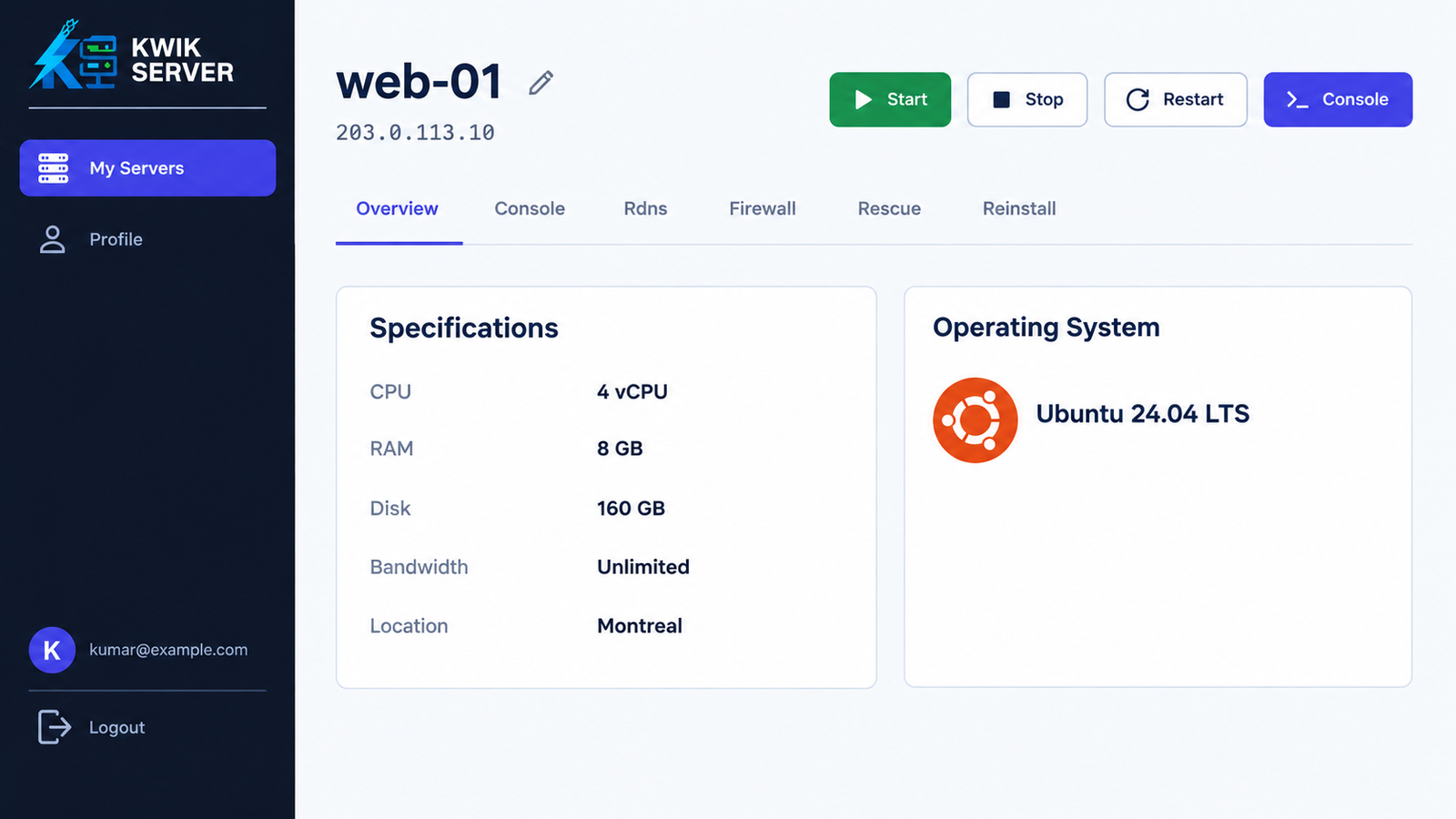
Each Linux VPS runs as a KVM virtual machine on Proxmox VE. You get your own kernel, so you can load kernel modules, run Docker, set up WireGuard or tune sysctl values without restrictions that come from sharing a kernel with other customers. The vCPU, RAM, disk and bandwidth on your plan are shown on your server’s overview page.
Linux templates we build and test ourselves
We don’t hand you an untouched stock image. Every template starts from the distribution’s official cloud image. We then install the QEMU guest agent, enable root SSH login, reset the machine ID so each server gets its own identity, and test a full clone before the template goes live. The current list:
- Ubuntu 22.04 LTS and 24.04 LTS
- Debian 12 (Bookworm) and 13 (Trixie)
- AlmaLinux 8, 9 and 10
- Rocky Linux 9 and 10
AlmaLinux 10 and Rocky Linux 10 need newer CPUs with AVX2 support, so they may not be offered in every location.
Root access and your disk, ready on first boot
You can SSH in as root with the password you chose as soon as the server finishes booting. The filesystem grows to fill your plan’s disk on first boot, so the space you paid for is already usable. If your plan includes more than one IPv4 address, each extra IP gets its own network interface (eth1, eth2 and so on) and should answer without any manual netplan editing.
Managing your server from the panel
Power controls
Start, stop and restart buttons sit on your dashboard next to each server, and again at the top of the server’s page. The same controls also appear inside your billing client area, so you can reboot a server without switching tabs.
Browser-based VNC console
The Console tab opens the server’s screen right in your browser, with no VNC client to install. It connects at the hypervisor level, so it still works when SSH is down, a firewall rule has locked you out, or a bad network change took the server offline. You can watch the boot process, catch kernel errors, and log in locally to undo the mistake.
Reinstall the OS
If you want a clean start, the Reinstall tab rebuilds the server from a fresh template. You can keep the current OS or pick a different one from the list, then set a new root password of at least eight characters. Your IP addresses stay the same. A reinstall erases everything on the disk, so copy off anything you need first.
Rescue mode for a server that won’t boot
Rescue mode is for the bad days: a broken bootloader, a full disk, a forgotten password, an fstab typo. One click reboots your VPS into SystemRescue with your own disk attached as /dev/sda. From the Console tab you can mount it (mount /dev/sda1 /mnt), chroot into your system, fix the problem, and exit rescue mode to boot normally again. Your data stays on the disk the whole time.
Reverse DNS (PTR records)
The rDNS tab lists every IP address on your server with its current PTR record. Enter a hostname such as mail.example.com, click Update, and the change goes straight to the upstream network. DNS caches can take up to 24 hours to catch up. If you send email, this matters a lot: many receiving mail servers reject or spam-folder messages from IPs whose reverse DNS doesn’t match the sending hostname.
Port 25 open for outbound mail
Plenty of providers block outbound SMTP on port 25 and make you open a ticket to ask for it. On KwikServer Linux VPS plans, port 25 is open by default, so Postfix, Exim or a mail relay can send as soon as you’ve set it up. Together with self-service rDNS, you can get a mail server running without contacting anyone.
Firewall rules without iptables
The Firewall tab runs a Proxmox firewall in front of your server. You can switch it on or off with one button, and each rule lets you set:
- Direction: inbound or outbound
- Action: ACCEPT, DROP or REJECT
- Protocol: TCP, UDP, ICMP or any
- Destination and source ports, including ranges such as
8000:9000 - Source and destination IP addresses or CIDR blocks, such as
203.0.113.0/24 - A comment so you remember why the rule exists
You can edit a rule, delete it, or disable it for a while without losing its settings. Because the firewall is enforced outside the VM, a rule still applies even if something inside your OS changes its own iptables or nftables setup.
Change your hostname
Click the pencil icon next to your server’s name to rename it. This helps once you have several servers and “vps-1” stops meaning anything.
Account security and automation
One-click login from your client area
You don’t need a second password. Click “Manage VPS” on your service in the KwikServer client area and Zenith Panel opens already logged in. Each login link works once and expires after five minutes, so an old link in your browser history can’t be reused. The client area also shows your IP, OS, vCPU, RAM and disk, with power controls, rDNS and OS reinstall built in.
Two-factor authentication
From your profile you can turn on two-factor authentication. After that, logging in to the panel needs your password plus a one-time code, which protects you if your password leaks. You can also change your password and account details from the same page.
API key for scripts and automation
Generate an API key on your profile page and send it in the X-API-Key header to control your servers from scripts, CI pipelines or monitoring tools. You can restart a server when a health check fails, for example, or reinstall a test box at the end of each build.
How fast can I get a Linux VPS running?
Most Linux VPS orders are ready to log in to within a few minutes of payment. The panel clones a pre-built template instead of installing an OS from scratch, and nobody has to approve the build, so the time is about the same whether you order on a weekday afternoon or at midnight on a holiday.
Frequently asked questions
What is Zenith Panel?
Zenith Panel is KwikServer’s own VPS control panel, built on Proxmox VE. It creates Linux VPS servers automatically when an order is paid, and gives customers self-service tools for power, console, reinstall, rescue mode, rDNS and firewall management.
Which operating systems can I install on a KwikServer Linux VPS?
You can choose Ubuntu 22.04 LTS, Ubuntu 24.04 LTS, Debian 12, Debian 13, AlmaLinux 8, AlmaLinux 9, AlmaLinux 10, Rocky Linux 9 or Rocky Linux 10. AlmaLinux 10 and Rocky Linux 10 need AVX2 CPUs and may not be offered in every location.
Is a Zenith Panel Linux VPS KVM or a container?
It is a KVM virtual machine running on Proxmox VE, with its own kernel and the CPU, RAM and disk set by your plan.
Can I reinstall the OS on my VPS without contacting support?
Yes. Open the Reinstall tab, keep your current OS or choose a new one, set a new root password and confirm. The reinstall erases all data on the disk and keeps your IP addresses.
What can I do if I get locked out of my VPS?
Use the browser VNC console, which works even when SSH or networking is down. If the server won’t boot at all, turn on rescue mode to boot SystemRescue with your disk attached as /dev/sda, fix the problem, then exit rescue mode.
Can I set reverse DNS (rDNS) for my VPS IP myself?
Yes. The rDNS tab lets you set the PTR record for each IP address on your server. Changes can take up to 24 hours to appear everywhere.
Is port 25 open on KwikServer Linux VPS?
Yes. Port 25 is open by default for outbound mail, so you don’t need to request an unblock.
Can I manage firewall rules without using the command line?
Yes. The Firewall tab lets you add inbound and outbound rules by protocol, port, source and destination IP, with ACCEPT, DROP or REJECT actions. Rules are enforced at the hypervisor, outside your server.
Does Zenith Panel support two-factor authentication and API access?
Yes. You can enable two-factor authentication on your profile page and generate an API key for automation, sent in the X-API-Key header.
Do I need a separate login for Zenith Panel?
No. Click “Manage VPS” in your KwikServer client area and the panel opens already logged in, using a single-use link that expires after five minutes.
Get started
Compare plans and pick your operating system on the KwikServer Linux VPS page. Your server will be built and managed through Zenith Panel from the moment you order.