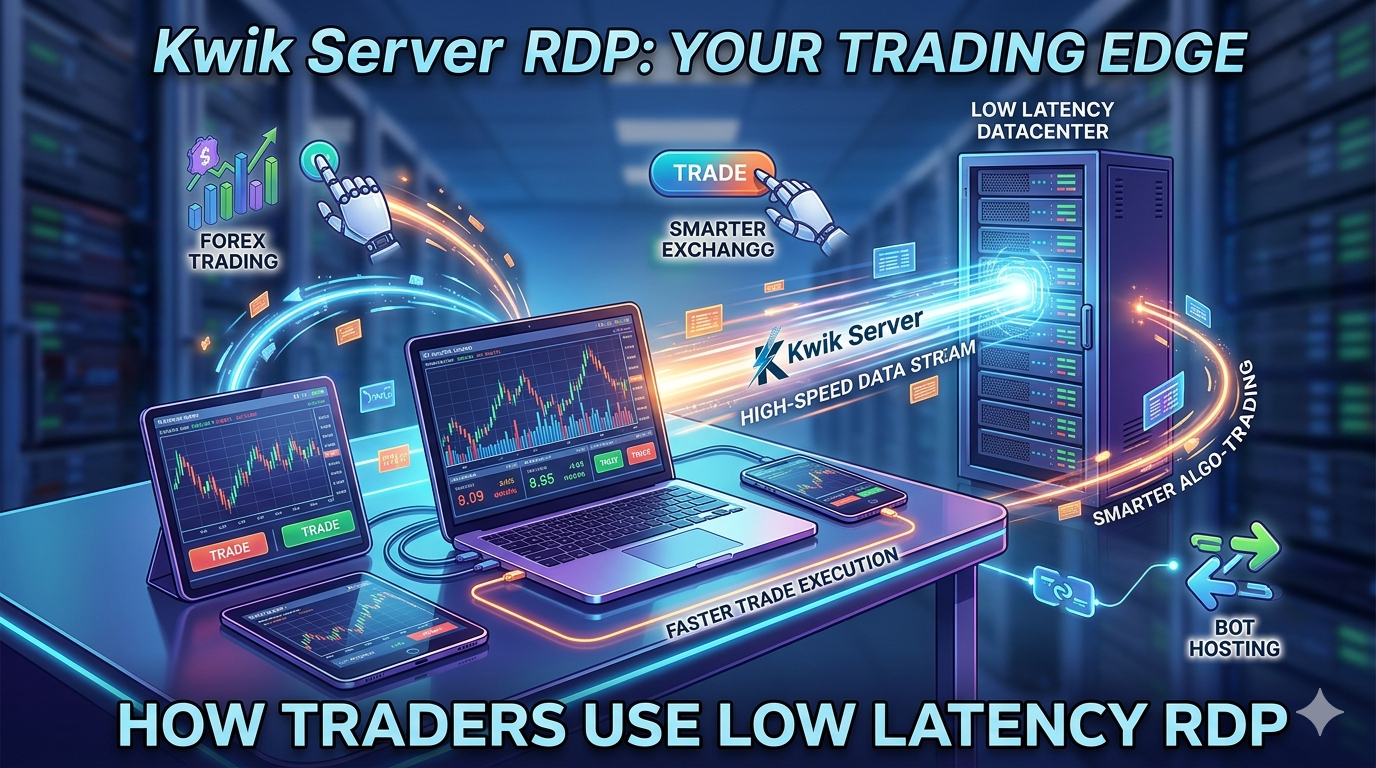
Every millisecond counts in trading. A slow connection, an offline terminal, or a power cut can cost you real money. That is why thousands of professional and retail traders have moved their MetaTrader terminals, Expert Advisors, and algorithmic strategies onto dedicated low-latency RDP servers — and why you should too.
- Best Use Cases for Cheap RDP
- 📍 How Traders Use Low-Latency RDP (this post)
- Video Editing on Cloud PC (coming soon)
- Remote Office Setup Using VPS (coming soon)
- Best RDP for Programming and Coding (coming soon)
- Run Automation Tools on VPS (coming soon)
- Hosting Websites on Windows VPS (coming soon)
- Use RDP for 24/7 Downloads (coming soon)
- Multi-User Remote Workstation Setup (coming soon)
- Build Your Own Cloud PC Business (coming soon)
1. Why Latency Is the Silent Killer in Trading
Most retail traders focus on strategies, indicators, and capital management — yet overlook the most fundamental variable under their control: execution speed. Latency, the time delay between sending a trade order and receiving a broker’s confirmation, determines whether you enter at the price you wanted or a worse one.
For scalpers who target 3–10 pip movements, a 100ms delay can be the difference between a winning and a losing trade. For algorithmic traders running Expert Advisors, a disconnected terminal means missed signals, broken grids, or runaway positions with no stop-loss execution.
Home internet is unreliable for trading. Even with a fast broadband connection, your ISP routes traffic through multiple hops before reaching your broker’s server. Peak-hour congestion, ISP throttling, and physical distance add 50–300ms of latency that a properly placed RDP eliminates entirely.
2. How a Low-Latency RDP Solves These Problems
A low-latency RDP server is a Windows machine hosted inside a professional data center — often in the same building or within a few kilometers of your broker’s matching engine. Your MetaTrader terminal runs on that server, not on your home PC. When it places a trade, the order travels locally within the data center network, not across the open internet.
-
Ultra-low latency Co-located RDP servers can achieve sub-1ms ping to broker servers in the same facility, compared to 80–250ms from a typical home broadband connection.
-
Always-on uptime Your RDP server runs 24/7 in a climate-controlled, redundant-power facility. Your EA keeps running even during a power cut, router restart, or laptop shutdown.
-
Isolated, stable environment No browser tabs, antivirus scans, or Windows updates competing for RAM and CPU. The RDP is dedicated to trading, keeping your terminal performance predictable and consistent.
-
Trade from anywhere Log into your RDP from a phone, tablet, or hotel laptop. Your full trading setup — charts, indicators, open positions — is always there, exactly as you left it.
3. Matching Your RDP Location to Your Broker
The biggest impact on latency comes from physical proximity between your RDP server and your broker’s trading server. Most regulated brokers publish which Equinix data center they use. Here is a quick reference:
| Broker / Market | Data Center | Location | Best RDP City | Latency Goal |
|---|---|---|---|---|
| IC Markets, Pepperstone, FP Markets | NY4 / NY5 | New York, USA | New York | <1ms |
| FXCM, IG Group, Saxo Bank | LD4 | London, UK | London | <1ms |
| Exness, XM, FxPro | LD4 / FR2 | London / Frankfurt | London or Frankfurt | 1–5ms |
| GMO Click, Monex, SBI | TY3 | Tokyo, Japan | Tokyo | <2ms |
| Generic / Unknown Broker | Various | — | Confirm with broker first | Verify first |
Before purchasing an RDP, email your broker and ask: “Which Equinix or data center facility hosts your trading servers?” Most support teams will answer quickly. Then choose a KwikServer RDP in the same city or facility.
4. What Traders Actually Run on Their RDP
A trading RDP is not just for MetaTrader. Here is a snapshot of what active traders install and run on their remote servers every single day:
📊 MetaTrader 4 & MetaTrader 5
The most common use case. Traders install MT4 or MT5, log in with their broker credentials, attach Expert Advisors to charts, and let strategies run continuously. One RDP can run multiple MT4 instances across different broker accounts simultaneously — without slowing down at all.
🤖 Expert Advisors & Trading Robots
EAs are automated scripts that open, manage, and close trades based on pre-set logic. They require a terminal that is permanently connected to the broker. An RDP is the only practical way to run EAs reliably for days or weeks on end without interruption or manual restarts.
📉 cTrader & NinjaTrader Platforms
Traders using cTrader or NinjaTrader for algorithmic execution benefit equally from RDP hosting. Both platforms support automated strategies that need continuous server connections and low-latency order routing to perform at their best.
📰 News Feed & Sentiment Tools
Economic calendar aggregators, news scrapers, and sentiment dashboards run on the RDP alongside the trading terminal. When high-impact news breaks, the order is placed within milliseconds — not delayed by a home internet connection still loading the news page.
📋 Trade Journals & Risk Management Software
Tools like Myfxbook, TradingDiary Pro, and custom Excel dashboards run on the RDP and automatically log every trade in real time without any manual export steps required from the trader.
5. How to Set Up Your Trading RDP in 5 Steps
Getting started with a low-latency trading RDP from KwikServer takes less than 20 minutes. Here is the complete process from purchase to first trade:
-
1Choose the Right Server Location
Identify your broker’s data center city — New York, London, Frankfurt, or Tokyo — and select a KwikServer RDP plan in the nearest location. This single choice has the biggest single impact on your trade execution speed.
-
2Select Your RAM & CPU Plan
For 1–3 EAs on a single MT4 instance, 2 GB RAM is sufficient. For multiple MT4 instances or heavy charting, go with 4 GB RAM. Scalpers running high-frequency strategies should consider 4–8 GB to avoid any memory bottlenecks.
-
3Connect via Remote Desktop Client
Use Windows Remote Desktop Connection (mstsc.exe) on PC, or Microsoft Remote Desktop on Mac, iOS, or Android. Enter your RDP IP, username, and password — your Windows desktop appears within seconds.
-
4Install MetaTrader & Set Up Your EA
Download MetaTrader directly from your broker’s website onto the RDP. Install your EA files, configure parameters, and attach them to the relevant chart pairs. Always test with a demo account before going live.
-
5Disconnect — Let It Run
Close your Remote Desktop session. Your RDP keeps running in the background. Your EAs continue trading, your positions stay open, and your terminal remains connected — regardless of what happens on your local device or internet connection.
Pro Tip: Enable Windows Task Scheduler to automatically restart MetaTrader if it ever closes unexpectedly. Set it to launch MT4.exe at system startup so you never return to a disconnected terminal after an unexpected server reboot.
6. Which Types of Traders Need a Low-Latency RDP?
⚡ Scalpers
Scalping strategies live and die on execution quality. A 50ms delay on a 5-pip target trade is genuinely catastrophic. Scalpers using RDP servers in the same data center as their broker routinely report tighter fills, fewer requotes, and significantly more consistent results compared to trading from home.
🔄 Grid & Martingale EA Traders
These strategies open multiple layered positions and must remain connected at all times. If the terminal goes offline mid-grid, the position is exposed with no hedging layers in place. An always-on RDP eliminates this risk entirely and provides true peace of mind.
📆 Swing Traders Running Alerts
Even swing traders who hold positions for hours or days benefit significantly. Setting price alerts, managing trailing stops, and monitoring news-triggered entries all require a terminal that is always on. An RDP removes the need to babysit your laptop over a weekend.
🏦 Prop Firm Traders
Traders on funded prop firm accounts such as FTMO, The5ers, or similar programs face strict drawdown rules and evaluation conditions. Consistent, uninterrupted execution on a low-latency RDP reduces the risk of a technical failure causing an unnecessary account breach during an evaluation phase.
Start Trading Faster with KwikServer
Get your low-latency trading RDP — full admin access, genuine Windows license, data center locations in New York, London, Frankfurt & more. Plans from just a few dollars per month.
🚀 View Forex VPS / Trading RDP Plans7. Frequently Asked Questions
-
A low-latency RDP for trading is a remote Windows server placed physically close to your broker’s servers, minimizing the time it takes for trade orders to travel between your terminal and the broker. This reduces execution delay and slippage on every single order you place.
-
It depends on your broker’s data center. Most major forex brokers use Equinix LD4 in London or NY4/NY5 in New York. Confirm your broker’s server location, then choose a KwikServer RDP in the same city or facility for the lowest possible latency.
-
Absolutely. MetaTrader 4 and MT5 are lightweight applications that run well even on entry-level RDP plans. A 2 GB RAM plan handles a few EAs comfortably. For multiple broker accounts or heavy charting, a 4 GB plan is the recommended sweet spot.
-
Yes, significantly. Every millisecond of network delay between your terminal and broker adds to your execution time. For scalpers and high-frequency traders, even 10ms of extra latency can result in missed entries or wider-than-expected slippage on fast-moving markets.
-
Yes. Your RDP is a private, isolated server accessible only with your credentials. KwikServer’s infrastructure uses enterprise-grade data centers with physical security, network firewalls, and encrypted RDP connections. Always use a strong, unique password and never share your login details with anyone.